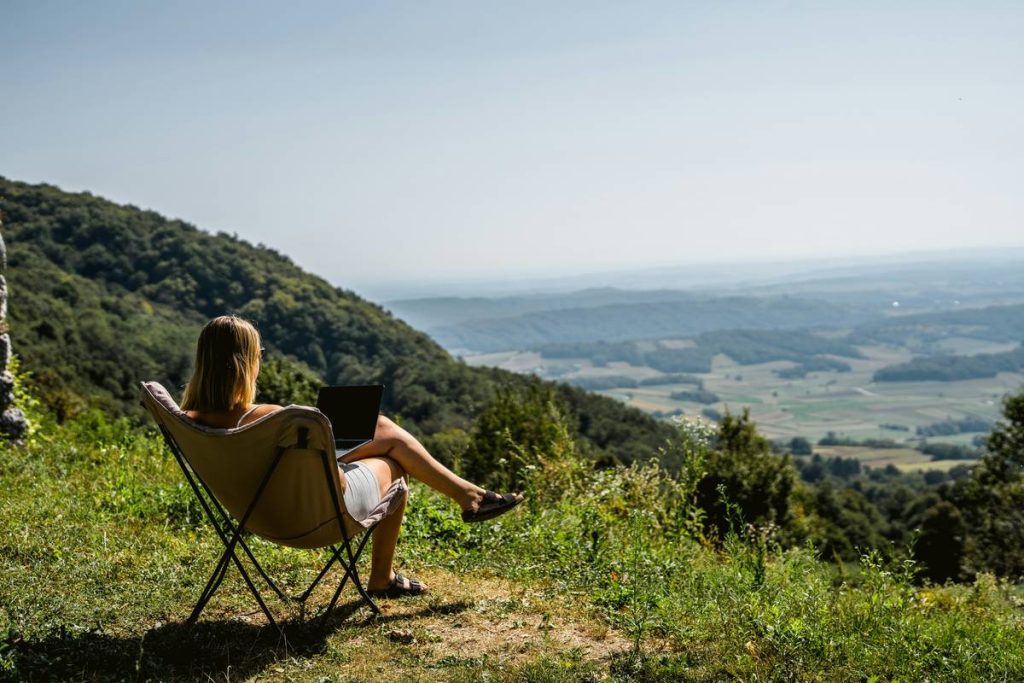
Ever logged into your work laptop from a beachside café only to realize the Wi-Fi password changed—and your client call starts in five minutes? You’re not alone. As remote work travel explodes (up 158% since 2020, per McKinsey), so do the pitfalls that derail even seasoned digital nomads. This guide cuts through the noise. Based on hard-won lessons—from visa blunders in Bali to power-outage panic in Lisbon—you’ll learn exactly how to thrive while living the dream. We’ll cover location scouting, legal basics, gear hacks, and real-world routines that keep productivity high and stress low.
Table of Contents
- Why “We Work Remotely Working Nomads” Is More Than a Catchphrase
- Your Step-by-Step Remote Work Travel Setup
- 7 Non-Negotiable Best Practices
- Real Nomads, Real Results
- FAQs
Key Takeaways
- Visa compliance isn’t optional—overstays can ban you from entire regions.
- Internet redundancy (e.g., eSIM + local SIM) saves careers.
- Time-zone overlap with your team beats exotic locales for long-term success.
- Local coworking spaces boost both productivity and community.
Why “We Work Remotely Working Nomads” Is More Than a Catchphrase
The fantasy of typing away from turquoise waters rarely includes sketchy Wi-Fi or 3 a.m. Zoom calls. But the reality? Many remote workers burn out within six months because they prioritize scenery over sustainability. I learned this the hard way in Chiang Mai: I booked a stunning jungle villa with “fiber internet,” only to discover it was a single shared line serving 20 Airbnbs. My biggest client deliverable tanked during a monsoon-induced outage. Never again.

Your Step-by-Step Remote Work Travel Setup
1. Validate Visa Rules First
Don’t assume “tourist visa = work allowed.” Countries like Portugal now offer dedicated Digital Nomad Visas, while others (looking at you, Thailand) crack down on remote workers on tourist permits. Always check official government portals—like U.S. Department of State visa guidelines—before booking flights.
2. Stress-Test Connectivity
Use tools like Speedtest.net on arrival day. Carry an eSIM (I use Airalo) plus a local SIM as backup. If your job relies on video calls, avoid areas with spotty 4G/LTE coverage—rural Costa Rica looks idyllic but often lacks infrastructure.
3. Map Time-Zone Overlap
If your team’s based in New York, limit stays to locations within ±5 hours (e.g., Lisbon works; Bali doesn’t). Use World Time Buddy to visualize overlaps before committing.
7 Non-Negotiable Best Practices
- Never skip travel insurance with remote-work coverage. Standard policies often exclude “work-related” accidents. I use SafetyWing—it covers co-working injuries and gear theft.
- Ditch the laptop-only setup. A portable monitor (like ASUS ZenScreen) and mechanical keyboard prevent wrist strain during all-day sessions.
- Find nomad hubs early. Use Nomad List to identify cities with reliable infrastructure, then join local Slack groups pre-arrival.
- Tax residency matters. Stay longer than 183 days in one country? You likely owe taxes there. Consult a cross-border accountant—I detail my process in our About Us page.
- Beware “digital detox” traps. Romanticizing disconnection kills deadlines. Schedule offline time—but protect core work blocks.
- Backup everything hourly. Use Backblaze + physical SSDs. Lost a month of writing once when a hostel surge fried my drive. Painful.
- Avoid this terrible tip: “Just work from hostels!” Shared dorms equal zero focus. Pay for private rooms or coworking day passes.
Real Nomads, Real Results
Take Maria, a UX designer who cycled through 12 countries in 18 months. Her breakthrough? Anchoring in Lisbon for 90 days—long enough to build local freelance clients while maintaining U.S. team sync. She used Selina coworking spaces (consistent Wi-Fi, ergonomic chairs) and tracked expenses via Trail Wallet. Result? 30% income increase and zero burnout. Contrast that with Jake, who bounced weekly across Southeast Asia chasing “cheap rent.” He missed three deadlines due to connectivity gaps and quit remote work entirely. Stability > novelty for we work remotely working nomads.
FAQs
Where can we work remotely working nomads get visas easily?
Portugal, Spain, Croatia, and Mexico offer straightforward digital nomad visas with clear income requirements (typically $2,000–$3,500/month).
How much should I budget monthly as a remote worker?
$2,500–$4,000 covers rent, coworking, insurance, and travel in mid-cost cities like Medellín or Tbilisi (source: Nomad List 2024 data).
Is coworking worth the cost?
Yes—reliable internet, printing, and quiet zones justify $200–$300/month fees. Free cafés often throttle bandwidth after lunch.
Can I use public Wi-Fi securely?
Only with a trusted VPN. Never access banking or client portals on open networks—stick to your eSIM hotspot.
Do I need to tell my employer I’m traveling?
Legally? Maybe not. Ethically? Absolutely. Disclose plans early; many companies require updates via HR portals (see our Privacy Policy for data handling notes).
What’s the biggest mistake new nomads make?
Underestimating admin. From local registrations to tax filings, paperwork eats 5–10 hours monthly. Block calendar time for it.
Embracing the we work remotely working nomads lifestyle demands strategy, not just spontaneity. Prioritize infrastructure over Instagrammability, and you’ll build a sustainable adventure—not a temporary escape. Ready to design your ideal setup? Contact us for a free remote-work location checklist.